
Practical guides for lawyers
How to find a Ukrainian court decision: case number, name, company code and full-text search
The Unified State Register of Court Decisions is the official source of Ukrainian court decisions. A case number gives exact results; a company name or code usually works; a private person’s surname usually does not.
The Lawestro team · Updated

Why surname searches fail
Publicly available decision texts may not disclose data identifying an individual — addresses, phone numbers, tax numbers, document details, vehicle and bank account numbers — which are replaced with letters or numbers. In practice parties appear as “ОСОБА_1”, while judges, companies and often attorneys stay named.
How to search
Go from the most precise criterion to the broadest.
- Search by the case number (for example 208/702/25) to get every published decision in all instances.
- For a company, search its short name and its EDRPOU code separately.
- For case law, describe the situation in keywords and start with Supreme Court rulings.
- Open the full decision and check whether a higher court later overturned it.
Do it in Lawestro
The Lawestro agent searches decisions from a plain description, opens the full texts, follows the case through the instances and returns a memo linking every decision.
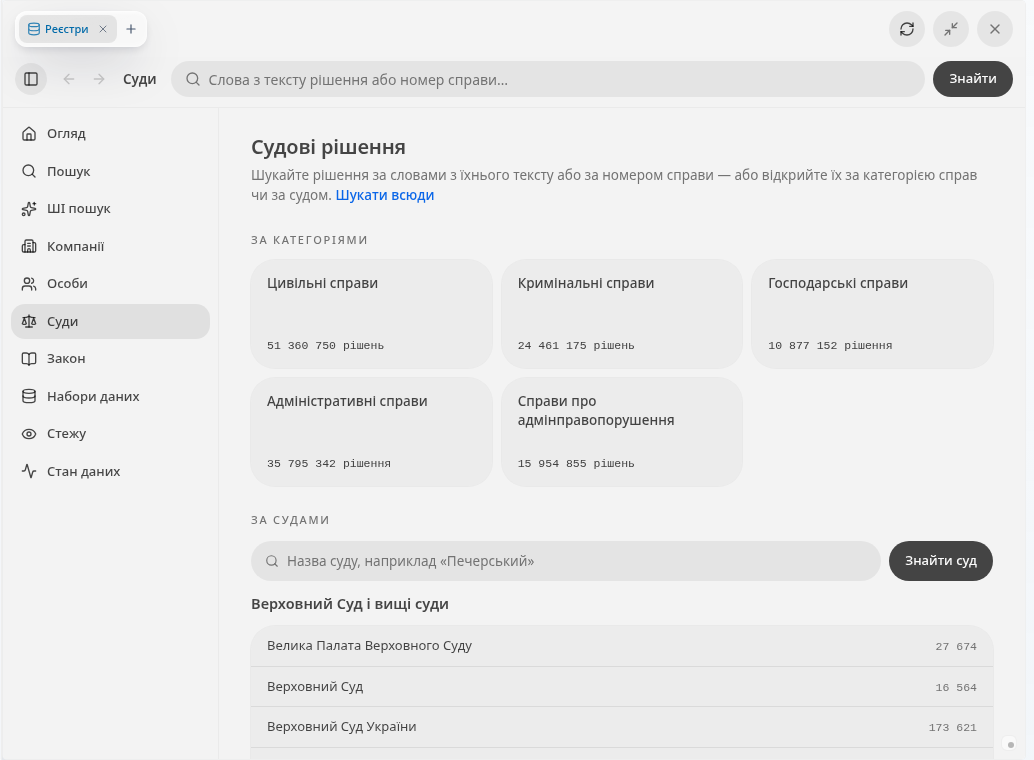
Example task for the agent
Find 2025–2026 Supreme Court rulings on service of a decision to an electronic cabinet after 17:00 and summarise the position with links.
Expected result
A memo with the current Supreme Court position, case numbers, dates and links to the full texts.
Frequently asked questions
- When does a decision appear in the register?
- As a rule no later than the day after it is produced and signed; some criminal-procedure rulings are published only once they are enforced.
Legal basis
Rules checked as of
Sources and further reading
Running tasks requires an account and access under an appropriate plan. Connected services operate within their granted permissions.
Related guides
E-Court integration: from connecting your account to working on a case
Connect Ukrainian E-Court to Lawestro, select your signing key and role, find case materials, and prepare analysis with source references.
Read guide →Court-case monitoring with AI: changes, sources, and next actions
Organize case monitoring in Lawestro: check new Ukrainian E-Court materials, maintain a live case map, and receive reports with source references.
Read guide →Contract analysis with AI: from clauses and risks to verified edits
Review contracts in Lawestro: prepare the materials, define your party's position, get a risk table with quotations, and verify proposed clause changes.
Read guide →Registering in Ukraine’s E-Court: who must, what you need and how to create an electronic cabinet
Registering an electronic cabinet in Ukraine’s E-Court: who is obliged to, the qualified e-signature, the steps on id.court.gov.ua and how electronic service affects deadlines.
Read guide →How to file a claim through Ukraine’s E-Court: documents, copies to parties, court fee and signature
Filing a statement of claim in Ukraine’s E-Court: attachments, proof of copies sent to other parties, the 0.8 court fee coefficient and what to do when a claim is left without movement.
Read guide →Court fee in Ukraine in 2026: how much to pay, the 0.8 coefficient and refunds
2026 Ukrainian court fee rates based on the UAH 3,328 subsistence minimum, the 0.8 reduction for E-Court filings, caps for individuals’ appeals since 16.07.2025 and refunds.
Read guide →Appeals through Ukraine’s E-Court: civil, commercial and administrative terms, court fee and filing
How to appeal through Ukraine’s E-Court: 30/15-day terms (civil, administrative) and 20/10-day terms (commercial), counting from electronic service, the fee with caps and copies to parties.
Read guide →Statement of defence in Ukraine: term, content, evidence and filing through E-Court
How a defendant files a statement of defence through Ukraine’s E-Court: a term of at least 15 days from service of the opening ruling, content, copies to the claimant and the consequences of not filing.
Read guide →How to access a Ukrainian case file in E-Court: the request, electronic case access and paper materials
Why case documents are missing from an E-Court cabinet and how to fix it: the request for electronic access to case materials, access for attorneys and scanning of paper materials.
Read guide →Ukrainian court orders: applying for one and cancelling it through E-Court
What a Ukrainian court order is, which claims qualify, the 2026 fee, and how a debtor applies to cancel it within 15 days of electronic service.
Read guide →How to check the status of a Ukrainian court case online
Four ways to follow a Ukrainian court case by its number: the official “Case status” service, the E-Court cabinet, the court decisions register and automated monitoring.
Read guide →